Built with Replit from a user story map

Replit chooses the tech stack, builds the app and checks it on desktop and mobile before handing it over.

The prototype

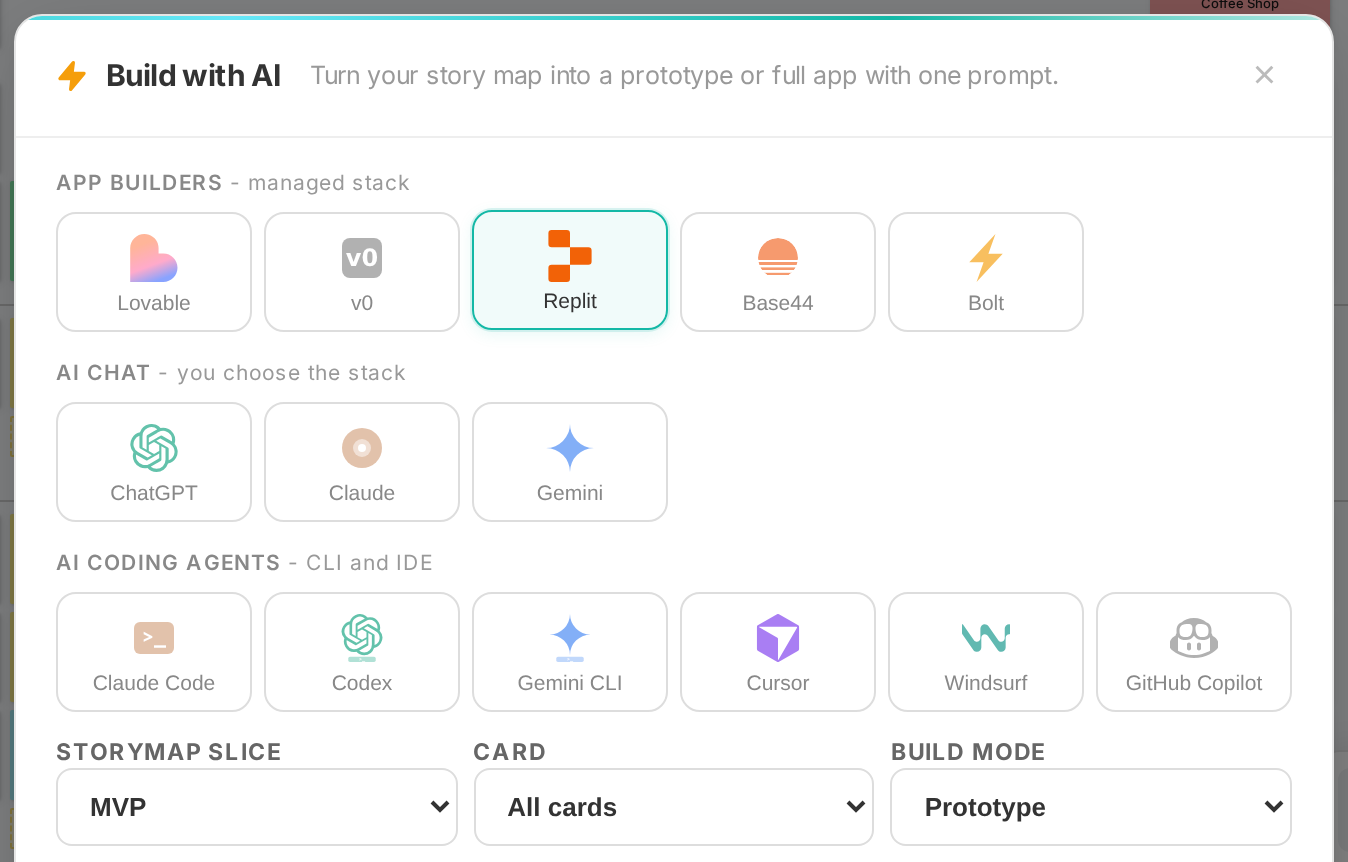
  1. Replit prototype, step 1: Click BuildReplit prototype, step 1: Click Build

    Click Build

    On the coffee story map, pick Replit and the MVP slice.

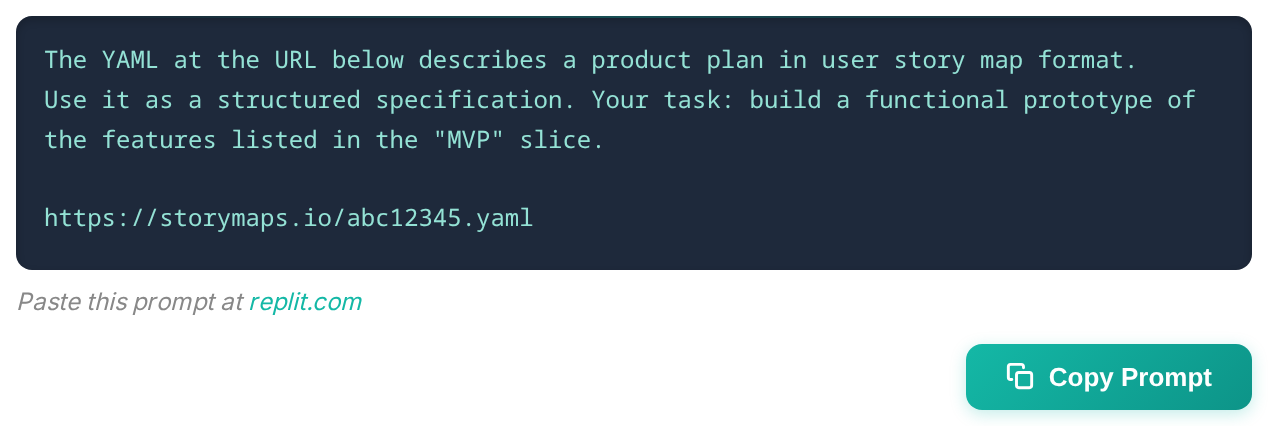
  2. Replit prototype, step 2: Copy the promptReplit prototype, step 2: Copy the prompt

    Copy the prompt

    One prompt holds the whole plan.

  3. Replit prototype, step 3: Paste it into Replit

    Paste it into Replit

    Paste, send, and leave it to build.

  4. Replit prototype, step 4: Watch it build

    Watch it build

    It reads the story map, builds the app and says what it made.

The prototype Replit built
The prototype comes from the coffee story map, the sample on the home page, with eight steps and four slices. The prompt names the MVP slice only, so the first build is quick. It was built from one prompt with no follow-up messages.

Click through it

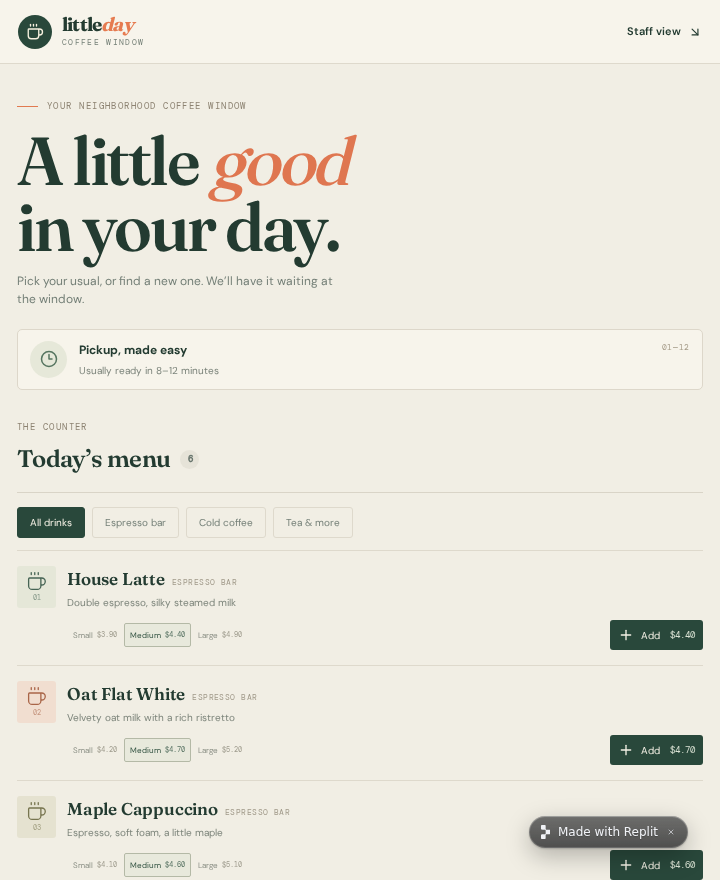
  1. Replit prototype: Browse the menu and pick a size

    Browse the menu and pick a size

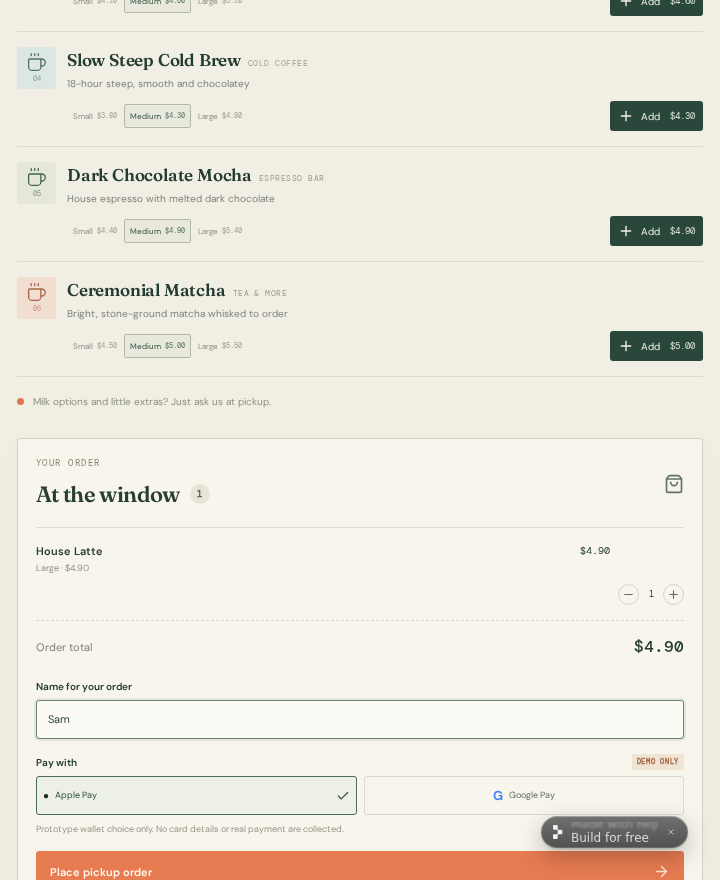
  2. Replit prototype: Check the order and add a name

    Check the order and add a name

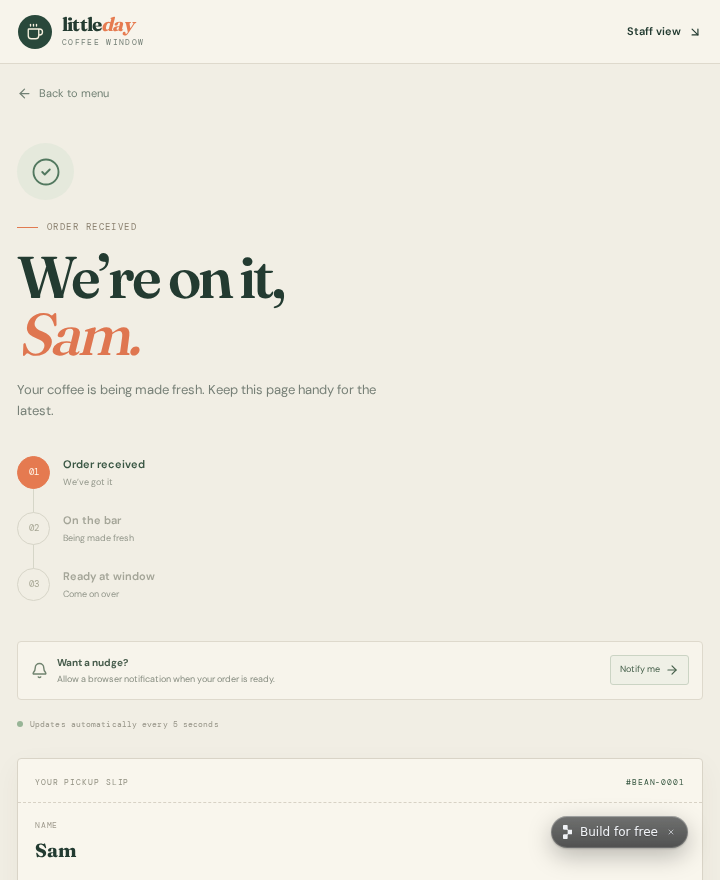
  3. Replit prototype: The order is in, with its progress

    The order is in, with its progress

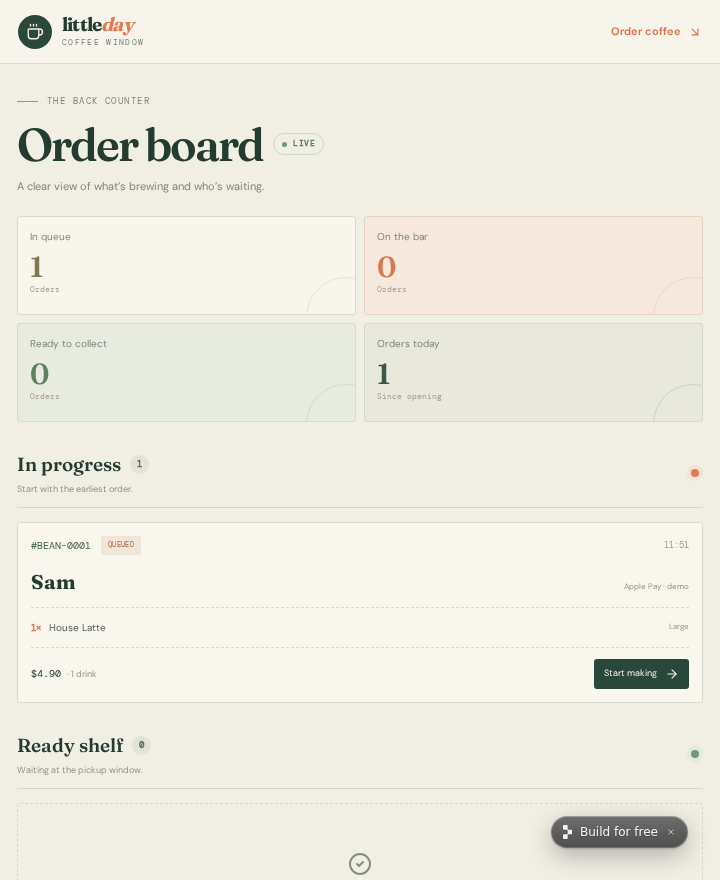
  4. Replit prototype: Staff see it on the order board

    Staff see it on the order board

Try it with the coffee story map

Open the story map these apps were built from, click Build and paste the prompt into an app builder.

Read the guide: Prototype an MVP with AI
Open the coffee story map